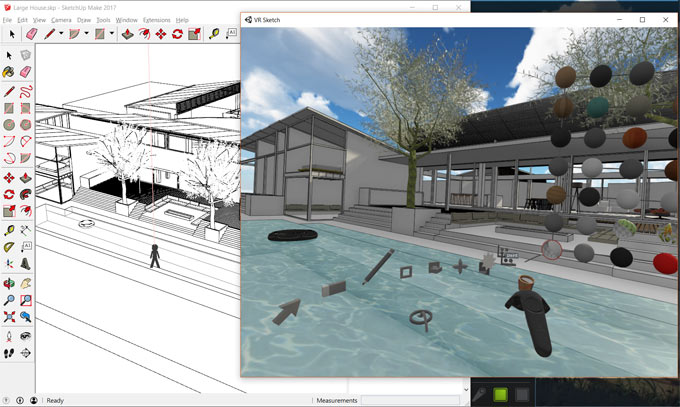
Chaos Group just launched V-Ray Next for SketchUp to accelerate the speed and simpleness of SketchUp’s premier external renderer.
This new version supports SketchUp 2016 & 2019 versions. SketchUp 2019. Sketchup 2019 combined with V-Ray Next offers effective solution for designers who aspire striking photorealistic visuals.
V-Ray Next technology in this new renderer for SketchUp comprises V-Ray Scene Intelligence to automatically examine a 3D scene for what it requires at the start of a renderer moving some of the work that an artist might perform in advance.
It applies the new Adaptive Dome Light (ADL) for more precise, image-based environmental lighting that is up to 7x quicker. The ADL is remarkably fast while working with interiors, and eliminates the need to include Portal Lights at windows and openings.
A new NVIDIA AI denoiser is also implanted in V-Ray Next for SketchUp, and the process becomes simple for locating the perfect camera exposure; as soon as the scene loads Auto White Balance and Exposure return the exact settings.
Rapid Performance: V-Ray Next for SketchUp is 30-50 percent quicker across the board. Extra growths originate from the ADL, updated materials and superior GPU rendering. With V-Ray Next, the process becomes quicker to generate a photorealistic image from SketchUp. The GPU renderer along is more than 200 percent faster. It can also speed up effects in rendering like fog and atmosphere effects.
In V-Ray Next for SketchUp, a new Scene Interaction Tool now offers direct entry to any level of the SketchUp hierarchy, facilitating the designers to collaboratively modify the materials and lighting when an object is chosen. The V-Ray Toolbar is also added to given new access to top tools and other simplifications and UI enhancements.
A new asset management system also exists to allow the users to locate and track V-Ray assets with a custom library that can be distributed across SketchUp projects. Any setting change will now lead to a live preview that allows the designers to get accross with lights, materials, textures, all in one place.
Other important features :-
• New Lighting Analysis Tools – It becomes simpler to visualize a scene’s real-world illumination values in lux or foot-candles.
• New Metalness Material Properties – With the inclusion of the standard V-Ray Material, the compatibility becomes better with Substance Designer and PBR materials.
• Color Correction Curves – Modify texture colors right in SketchUp devoid of going back to an image editor.
• Material ID & MultiMatte Render Elements – Render 2D masks of 3D objects for quick adjustments in Photoshop and other image editors.
• Superior V-Ray Scenes and Materials Exchange – Fluid asset transfers from other V-Ray applications (Rhino, Revit and 3ds Max).
To download a 30 day free trial version, click on the following link www.chaosgroup.com/vray/sketchup

~~~~~~~~~~~~~~~~~~~~~~~~~~~~
Published By
Rajib Dey
www.sketchup4architect.com
~~~~~~~~~~~~~~~~~~~~~~~~~~~~
This new version supports SketchUp 2016 & 2019 versions. SketchUp 2019. Sketchup 2019 combined with V-Ray Next offers effective solution for designers who aspire striking photorealistic visuals.
V-Ray Next technology in this new renderer for SketchUp comprises V-Ray Scene Intelligence to automatically examine a 3D scene for what it requires at the start of a renderer moving some of the work that an artist might perform in advance.
It applies the new Adaptive Dome Light (ADL) for more precise, image-based environmental lighting that is up to 7x quicker. The ADL is remarkably fast while working with interiors, and eliminates the need to include Portal Lights at windows and openings.
A new NVIDIA AI denoiser is also implanted in V-Ray Next for SketchUp, and the process becomes simple for locating the perfect camera exposure; as soon as the scene loads Auto White Balance and Exposure return the exact settings.
Rapid Performance: V-Ray Next for SketchUp is 30-50 percent quicker across the board. Extra growths originate from the ADL, updated materials and superior GPU rendering. With V-Ray Next, the process becomes quicker to generate a photorealistic image from SketchUp. The GPU renderer along is more than 200 percent faster. It can also speed up effects in rendering like fog and atmosphere effects.
In V-Ray Next for SketchUp, a new Scene Interaction Tool now offers direct entry to any level of the SketchUp hierarchy, facilitating the designers to collaboratively modify the materials and lighting when an object is chosen. The V-Ray Toolbar is also added to given new access to top tools and other simplifications and UI enhancements.
A new asset management system also exists to allow the users to locate and track V-Ray assets with a custom library that can be distributed across SketchUp projects. Any setting change will now lead to a live preview that allows the designers to get accross with lights, materials, textures, all in one place.
Other important features :-
• New Lighting Analysis Tools – It becomes simpler to visualize a scene’s real-world illumination values in lux or foot-candles.
• New Metalness Material Properties – With the inclusion of the standard V-Ray Material, the compatibility becomes better with Substance Designer and PBR materials.
• Color Correction Curves – Modify texture colors right in SketchUp devoid of going back to an image editor.
• Material ID & MultiMatte Render Elements – Render 2D masks of 3D objects for quick adjustments in Photoshop and other image editors.
• Superior V-Ray Scenes and Materials Exchange – Fluid asset transfers from other V-Ray applications (Rhino, Revit and 3ds Max).
To download a 30 day free trial version, click on the following link www.chaosgroup.com/vray/sketchup
~~~~~~~~~~~~~~~~~~~~~~~~~~~~
Published By
Rajib Dey
www.sketchup4architect.com
~~~~~~~~~~~~~~~~~~~~~~~~~~~~