Wednesday, May 23, 2012

SketchUp Component Browser Download

SketchUp is the best way create your desirable design and also create the 3D model. SketchUp Component is one of the interesting thing to complete your design. Sketchup is the collection of the different kind of 3D models like furniture, car, plants, landscape architecture, home, door, people, window, kitchen, stairs, art gallery, soccer stadium  and many more things. 
sketchup component
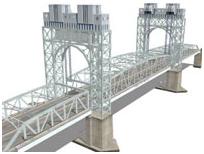
These components help you to different kind of design from small component to large component like pin to bridge. All are these are available in Google 3D Warehouse and It is online collection of 3D models. These helps you to create your models. Sketchup Component browser allows to download different kind of models. 
sketchup component

To download   the models using the component Browser:
  1. Select Window  then go to the  Component .
  2. After component browser displayed type your desirable model and friend from google 3D Warehouse.
  3. Just click the particular components that you want to download. 

Download samples of SketchUp


SketchUp is the best way to unlash your creativity and also the easiest way to make a 3D model. In this repository of SketchUp, you can get various kinds of 3D models like furniture to stadium. You have to just download those models and add those to your model. With all these components you can draw indoor image as well as landscape designing. From a small component like camera to large component like bridge all things are available in this warehouse.
sketchupsample
The best way to find your SketchUp samples from Google 3D Warehouse where you can find all the collection of sample like 3D Building, Featured Collection, Pupular model and Recent Models . You can download all are sample from sketchup4architect.
sketchup sample